Server-Side Tracking
Affordable Server-Side Tracking Solutions for Bangladeshi Ecommerce Brands
Bangladeshi ecommerce brands are losing 20–30% of their conversion data to ad blockers, Safari cookie restrictions, and iOS privacy changes. This guide explains how affordable server-side tracking works, what it costs with BDT pricing options, how it improves Meta CAPI and GA4 data accuracy, and how to choose the right setup for your store without overspending on international platforms.
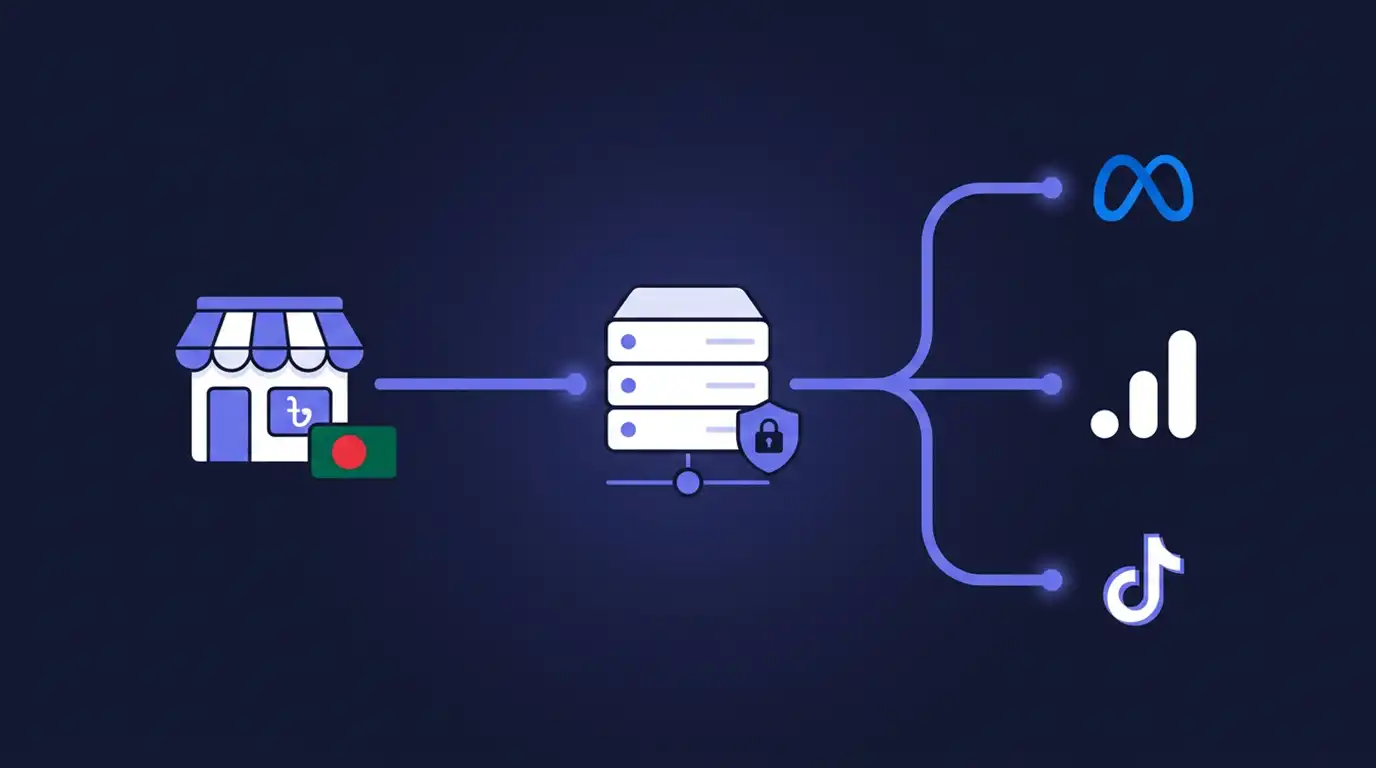
Affordable Server-Side Tracking Solutions for Bangladeshi Ecommerce Brands
If you run an ecommerce store in Bangladesh and spend money on Meta ads, Google Ads, or any form of paid digital marketing, there is a high probability that you are making decisions based on incomplete data. Not because your marketing team is careless, but because the way most stores collect tracking data is fundamentally less reliable than it was three years ago.
Ad blockers strip out tracking pixels before they fire. Safari shortens cookie lifetimes so returning visitors look like new ones. iOS privacy updates reduce what Meta can see from your customers' browsers. The result is a widening gap between what actually happens on your store and what your ad platforms report.
Server-side tracking is the infrastructure-level solution to this problem. It moves critical data collection from the visitor's browser to a server you control, recovering conversions that browser-based tracking misses and giving platforms like Meta and Google Analytics 4 the signal they need to optimize properly.
The barrier for many Bangladeshi businesses has been cost and complexity. Most global server-side tracking providers price in dollars or euros with payment methods that aren't convenient for BD businesses. Implementation often requires technical knowledge that smaller ecommerce teams don't have in-house.
That landscape is changing. Affordable server-side tracking options now exist for Bangladeshi ecommerce brands, with local currency pricing, familiar payment methods, and setup support that doesn't require you to become a cloud infrastructure engineer.
This guide covers how server-side tracking works in an ecommerce context, what specific problems it solves for stores operating in Bangladesh, what it realistically costs, how to avoid common implementation mistakes, and how to decide which approach fits your business. Whether you run a WooCommerce store, a Shopify brand, or manage multiple client stores as an agency, this is practical information you can act on.
Table of Contents- What Is Server-Side Tracking and Why Should BD Ecommerce Brands Care?
- How Server-Side Tracking Actually Works for Ecommerce
- Why Affordable Options Matter for the Bangladesh Market
- Five Real Problems Server-Side Tracking Solves for BD Ecommerce
- Client-Side vs Server-Side Tracking: A Practical Comparison
- Meta Conversions API: Why It Matters for Bangladeshi Advertisers
- GA4 and Server-Side Tracking: Getting Cleaner Analytics Data
- What Does It Actually Cost? Pricing Realities for BD Businesses
- Common Mistakes BD Ecommerce Brands Make with Tracking
- How to Choose the Right Server-Side Tracking Setup
- Getting Started: A Practical Checklist for BD Store Owners
- Frequently Asked Questions
What Is Server-Side Tracking and Why Should BD Ecommerce Brands Care?
A Quick Definition
Server-side tracking is a method of collecting website event data — page views, add-to-cart actions, purchases, form submissions — and routing that data through a server you control before sending it to advertising and analytics platforms. Instead of your customer's browser sending data directly to Meta, Google Analytics 4, TikTok, and other endpoints through JavaScript tags, the browser sends the data to your server first. Your server then processes, enriches, and forwards it.
The most common implementation uses Google Tag Manager Server-Side (sGTM), which provides a container environment running on a server under your own domain or subdomain. This creates a first-party data pipeline where you control what gets collected, what gets filtered, and what reaches each platform.
The Data Problem Facing Bangladeshi Online Stores
Bangladesh's ecommerce market has grown rapidly. More stores are running Meta ads, investing in Google Ads, and scaling paid acquisition. But the tracking infrastructure most of these stores use hasn't kept pace with how browsers and operating systems have changed.
A typical Bangladeshi WooCommerce or Shopify store loads the Meta Pixel, a GA4 tag, and sometimes TikTok or Google Ads conversion tags directly in the browser. This worked well enough when browsers were permissive. It doesn't work as well now. A meaningful percentage of your visitors use ad blockers, privacy browsers, or iPhones with restrictions that reduce what those browser-side tags can capture.
If 25 percent of your purchase events never reach Meta because of these factors, Meta's algorithm is optimizing your campaigns with 75 percent of the real signal. That affects your cost per acquisition, your audience building, your lookalike targeting, and ultimately your return on ad spend. For stores where margins are tight — and margins in Bangladeshi ecommerce are often tight — that kind of data loss translates directly into wasted ad budget.
How Server-Side Tracking Actually Works for Ecommerce
The Two-Tier Architecture
Think of server-side tracking as adding a relay station between your store and the platforms you send data to.
In the first tier, your website's browser-side GTM container (the one you already have) collects event data as visitors interact with your store. Instead of firing separate tags for Meta, GA4, and every other platform, it sends a unified data stream to a server endpoint you control — typically a subdomain like track.yourstore.com.
In the second tier, your server-side GTM container receives that stream. Inside this container, you configure tags that forward data to each platform's server-side API: Meta's Conversions API, GA4's Measurement Protocol, Google Ads Enhanced Conversions, TikTok Events API, and so on. These are server-to-server transmissions that bypass the browser entirely.
Because the server endpoint sits on your domain, the data transmission from browser to server looks like a normal first-party request. Ad blockers, which target known third-party tracking domains, generally don't block it.
What Happens to a Purchase Event, Step by Step
Here's the concrete flow when someone buys a product on your store with server-side tracking in place:
- The customer clicks "Place Order." Your WooCommerce or Shopify checkout pushes event data (order value, product IDs, customer email hash) into the data layer.
- Your browser-side GTM container picks up this data layer event and sends it as a single request to
track.yourstore.com. - Your sGTM server container receives the request. A GA4 client parses it and makes the event data available.
- Server-side tags in your container fire: one sends the purchase event to Meta's Conversions API (with hashed email, phone, and order data for matching), another sends it to GA4 via the Measurement Protocol, and others handle Google Ads or TikTok if configured.
- Meta receives the event server-to-server, matches it against its user database using the hashed identifiers, and records the conversion. GA4 records the session and purchase.
The critical difference from browser-only tracking: the platform delivery steps happen from your server, not from the customer's browser. If the customer had an ad blocker, if their Safari session had already purged the tracking cookie, or if their iOS privacy settings were blocking third-party requests — none of that matters. The server-side path still delivers the data.
Why Affordable Options Matter for the Bangladesh Market
The International Pricing Barrier
The leading global server-side tracking platforms — Stape.io, TAGGRS, Addingwell — price their services in USD or EUR. Stape.io's paid plans start around $20 per month and scale with server request volume, which can be unpredictable and difficult to budget for. Payment typically requires an international credit card.
For a Bangladeshi business, especially a growing ecommerce store running on moderate margins, these costs and payment methods create friction. A $20 monthly charge isn't just $20 — it involves foreign currency transaction fees, international card requirements that many small business owners don't have, and pricing that scales in ways that are difficult to plan around in BDT.
This doesn't mean global providers are bad. Stape, in particular, is mature, well-documented, and feature-rich. But for many BD ecommerce operators, the question isn't whether server-side tracking is worth it. It's whether they can access it practically.
What "Affordable" Actually Means Here
Affordable server-side tracking for the Bangladesh market means three things working together: pricing denominated in BDT, payment through familiar channels like bKash or Nagad or local bank transfer, and a cost structure that makes sense for stores doing ৳2–20 lakh in monthly revenue.
Several options now exist. You can self-host on a low-cost VPS for around ৳500–1,000 per month in pure server costs, though this requires technical comfort with Linux, Docker, and Nginx. Or you can use a managed provider with BDT pricing that handles the infrastructure for you.
The important thing is that cost should not be the reason a BD ecommerce brand continues running broken browser-only tracking. The gap between what server-side tracking costs and what it recovers in conversion data and ad efficiency almost always favors implementation.
Five Real Problems Server-Side Tracking Solves for BD Ecommerce
1. Ad Blockers Are Eating Your Conversion Data
Research consistently estimates that 30 to 40 percent of web users run some form of ad blocking. In Bangladesh, the rate varies by audience segment, but it's significant — particularly among younger, more tech-savvy consumers. When someone with an ad blocker buys from your store, the Meta Pixel JavaScript never fires. That purchase is invisible to Meta. Your reported ROAS drops, and Meta's algorithm loses a signal it needs for optimization.
Server-side tracking sends the event from your server to Meta's Conversions API. The ad blocker never sees it because the data doesn't pass through the browser's third-party request pipeline.
2. Safari and iOS Are Shortening Your Attribution Window
Safari's Intelligent Tracking Prevention caps the lifespan of JavaScript-set cookies. If a customer clicks your Meta ad on an iPhone, visits your store, and comes back four days later to purchase, Safari may have already purged the tracking cookie. That returning customer looks like a brand new visitor. The purchase can't be attributed to the original ad click.
When your server-side container sets cookies through HTTP response headers from your own subdomain, those cookies are treated as genuine first-party cookies with longer lifetimes. This extends your attribution window and helps you see the true customer journey, not a fragmented version of it.
3. Meta Ads Performance Looks Worse Than It Is
Many Bangladeshi advertisers have experienced the frustrating scenario where their WooCommerce dashboard shows 40 orders, but Meta's ad manager reports 28 purchase conversions. The ads are actually performing, but the tracking system is losing events. Over time, this erodes confidence in paid media and leads to bad budget decisions.
Meta explicitly recommends a dual setup: browser-side Pixel plus server-side Conversions API. When both streams are working with proper event deduplication, you capture more complete conversion data. This raises your Event Match Quality score in Meta's Events Manager, which directly influences ad delivery optimization.
4. GA4 Numbers Don't Match Your Order Dashboard
If GA4 shows 1,200 sessions and 15 purchases this week, but your WooCommerce orders dashboard shows 22, the discrepancy is almost certainly caused by data loss at the browser level. Visitors with ad blockers, cookie restrictions, or aggressive privacy settings generate sessions and purchases that GA4's browser-side tag never captures.
Server-side GA4 tracking sends events through the Measurement Protocol from your server. This closes part of the gap. It also improves user identification across sessions, making your returning visitor reports more accurate.
5. You're Paying for Ads Based on Incomplete Data
This is the business consequence that ties everything together. If your conversion data is 20 to 30 percent lower than reality, you're calculating ROAS on wrong numbers, pausing campaigns that may actually be profitable, and over-investing in channels that merely happen to track better.
For a BD ecommerce brand spending ৳1–5 lakh per month on Meta ads, even a 15 percent improvement in tracked conversions changes the math. It doesn't change what actually happened — those sales already occurred. It changes whether you can see them and make better decisions going forward.
Client-Side vs Server-Side Tracking: A Practical Comparison
| Factor | Client-Side (Browser Only) | Server-Side |
|---|---|---|
| Where tracking code runs | Visitor's browser | Your server |
| Vulnerability to ad blockers | High — blocked by most ad blockers | Low — requests go to your own domain |
| Cookie lifetime (Safari) | 7 days or less (JavaScript cookies) | Up to 13 months (HTTP-set first-party cookies) |
| Data sent to platforms | Direct browser-to-vendor requests | Server-to-server API calls |
| Page load impact | High — multiple third-party scripts load | Lower — fewer scripts fire client-side |
| Privacy control | Limited — each vendor's script runs independently | Strong — data passes through your server first |
| Setup complexity | Low — add tags to GTM web container | Medium to High — requires server container and infrastructure |
| Ongoing cost | Free (no server costs) | VPS costs or managed hosting fees |
| Best used as | The data collection layer | The data routing and delivery layer |
The practical recommendation for ecommerce is not to choose one or the other. You use both. The browser-side container collects initial event data and sends it to your server container. The server container handles distribution and enrichment. This dual approach gives you the best coverage.
Meta Conversions API: Why It Matters for Bangladeshi Advertisers
What CAPI Does
Meta's Conversions API (CAPI) allows your server to send conversion events directly to Meta without relying on the browser-side Pixel. CAPI events carry additional parameters — hashed email addresses, phone numbers, external IDs — that help Meta match the event to a user in its system. This matching process is central to Meta's ability to attribute a conversion to a specific ad impression or click.
For ecommerce brands running Facebook and Instagram ads, CAPI is no longer optional in any practical sense. Meta's own documentation positions it as the recommended approach, and stores with strong CAPI implementations consistently see better Event Match Quality scores.
Event Match Quality and Why It Affects Your CPA
Event Match Quality (EMQ) is Meta's rating of how well the data you send can be matched to Meta user profiles. It ranges from poor to great. Higher EMQ means Meta can attribute more conversions to your campaigns, which means the ad algorithm has more signal to work with, which typically means better optimization and lower cost per acquisition.
A browser-only Pixel setup often produces mediocre EMQ because ad blockers, cookie restrictions, and privacy settings strip out the parameters Meta needs for matching. A server-side CAPI implementation sends richer, more complete event data — including hashed customer identifiers pulled from your order data — which significantly improves match rates.
For Bangladeshi advertisers competing for attention in an increasingly crowded Meta ad environment, EMQ is a lever that directly affects how efficiently your budget works.
GA4 and Server-Side Tracking: Getting Cleaner Analytics Data
Google Analytics 4 was designed with server-side tracking as a first-class option. When your sGTM server container receives event data from the browser, it can forward that data to GA4 through the Measurement Protocol. This server-to-server path is more resilient than the browser-only GA4 tag.
The practical benefits for ecommerce analytics are substantial. User identification improves because server-set first-party cookies persist longer, so returning visitors are recognized more accurately. Session stitching becomes more reliable. Purchase and revenue data becomes more complete.
If you've ever tried to reconcile GA4 ecommerce reports with your WooCommerce or Shopify sales data and found persistent discrepancies, part of that gap is almost certainly caused by browser-level data loss. Server-side GA4 tracking won't close the gap entirely — no tracking method captures 100 percent of everything — but it brings your analytics meaningfully closer to ground truth.
What Does It Actually Cost? Pricing Realities for BD Businesses
Self-Hosted on a VPS
If you have technical capability (or a developer who does), you can host your own sGTM container on a VPS for the cost of the server itself. A basic VPS from providers like Contabo, DigitalOcean, or Vultr runs $5 to $10 per month, roughly ৳550 to ৳1,100 at current exchange rates.
The catch is that you handle everything: Docker setup, Nginx reverse proxy, SSL, DNS configuration, security patches, image updates, and troubleshooting when something breaks. This is entirely viable for agencies with DevOps skills or developers setting up infrastructure for their own stores.
Managed Hosting Providers
Managed providers handle the infrastructure so you can focus on your tracking configuration and your business. The leading global option, Stape.io, starts at approximately $20 per month and scales with request volume. Payment requires an international card.
ServerPixel BD offers managed sGTM hosting with BDT pricing, starting at ৳1,190 per month for a single domain. Payment is available through bKash, Nagad, and local bank transfer — methods that are immediately accessible to most Bangladeshi businesses. Plans scale based on domains and traffic volume, with higher tiers including managed migration, priority support, and dedicated infrastructure.
The key is evaluating providers not just on cost per month but on what's included: setup assistance, custom domain configuration, SSL, CAPI setup help, ongoing support, and infrastructure reliability.
Cost Comparison Overview
| Option | Monthly Cost (approx.) | Payment Methods | Setup Effort | Maintenance |
|---|---|---|---|---|
| Self-hosted VPS | ৳550–1,100 | International card | High — full DIY | You handle everything |
| Stape.io | ৳2,400+ ($20+) | International card | Medium — self-serve | Provider handles infra |
| ServerPixel BD | ৳1,190–24,990 | bKash, Nagad, bank | Low–Med — support included | Provider handles infra |
| Google Cloud (direct) | Variable, ৳1,500–5,000+ | International card | High — GCP expertise | You handle scaling |
The right choice depends on your team's technical capacity, your budget, and how much of the implementation and maintenance you want to handle yourself.
Common Mistakes BD Ecommerce Brands Make with Tracking
1. Relying Only on the Meta Pixel
This is the most common and most costly mistake. Many Bangladeshi ecommerce stores run Meta ads worth lakhs per month with nothing but a browser-side Meta Pixel. No CAPI. No server-side GA4. When data quality degrades, they blame Meta's algorithm rather than their tracking infrastructure. The Pixel alone is no longer sufficient for accurate conversion measurement.
2. Skipping Event Deduplication
When you run both browser-side and server-side tracking — which is the recommended approach — you must implement event deduplication. Without it, Meta or GA4 can count the same purchase twice: once from the browser Pixel and once from CAPI. This inflates conversion numbers and distorts optimization. Deduplication requires matching event IDs across both streams. It's a detail that's easy to skip but critical to get right.
3. Ignoring Consent Management
Server-side tracking gives you better tools for privacy compliance, but it doesn't make you automatically compliant. If you operate in a market where consent is required — or if your customers include people in GDPR or CCPA jurisdictions — you need a proper consent management setup. Your server-side container should respect consent signals and avoid forwarding data for users who haven't opted in.
4. Setting It Up Once and Never Maintaining It
Tracking is not a one-time project. Platform APIs change. Google releases new sGTM container versions. Meta updates CAPI requirements. Your store adds new products, checkout steps, or payment methods. If your tracking setup isn't reviewed and maintained periodically, it drifts out of accuracy. Build a habit of checking your events at least monthly.
5. Choosing a Provider Based Only on the Lowest Price
The cheapest option isn't always the most affordable in the long run. If a low-cost provider offers no setup support, no migration help, and no response when something breaks, you'll spend more time troubleshooting — or lose more money to broken tracking — than you save on hosting fees. Evaluate the total cost of getting to a working, maintained setup, not just the monthly line item.
How to Choose the Right Server-Side Tracking Setup
Questions to Ask Before You Start
Before evaluating any provider or technical approach, clarify these points for your own business:
What platforms do you need to send data to? At minimum, most BD ecommerce stores need Meta CAPI and GA4. Some also need Google Ads Enhanced Conversions, TikTok Events API, or others.
What is your monthly ad spend? Higher ad spend means the cost of data loss is higher, which means the ROI of server-side tracking is larger. Stores spending ৳50,000 or more per month on Meta ads almost always benefit from implementation.
What is your technical capacity? Do you have a developer on your team, or do you need a provider that handles setup and configuration for you?
What ecommerce platform do you use? WooCommerce, Shopify, and custom platforms each have different implementation paths. Make sure your chosen approach supports your platform cleanly.
When to DIY vs When to Use Managed Hosting
Self-hosting makes sense if you have a developer comfortable with SSH, Docker, Nginx, and DNS management, and you want maximum control over your infrastructure. It's also cost-effective for agencies managing multiple containers.
Managed hosting makes sense if your team is primarily marketers and business operators, if you want a working setup without a DevOps learning curve, or if you value support when something goes wrong.
When to Hire an Expert
If your tracking is currently broken — purchase events are missing, GA4 numbers don't match reality, Meta EMQ is low — hiring someone to audit and fix your setup is almost always more cost-effective than spending weeks trying to diagnose it yourself. The cost of a professional tracking setup is typically a fraction of what you lose in wasted ad spend from poor data.
ServerPixel BD offers implementation services that include server-side GTM hosting, Meta CAPI configuration, GA4 server-side setup, and ongoing maintenance support. If you're not sure where to start, a tracking consultation can help identify what's broken and what the fix path looks like.
Getting Started: A Practical Checklist for BD Store Owners
Use this checklist as a starting framework. Not every store will need every step, but most ecommerce businesses in Bangladesh should work through these:
- Audit your current tracking setup. Check Meta Events Manager for Event Match Quality. Compare GA4 reported purchases against your actual orders. Identify the gap.
- Decide on hosting approach. Self-hosted VPS, managed provider with BDT pricing, or a combination.
- Set up a custom subdomain. Create a DNS record like
track.yourstore.compointing to your server-side container endpoint. - Configure your sGTM server container. Set up the GA4 client, Meta CAPI tag, and any other platform tags you need.
- Implement event deduplication. Make sure browser-side and server-side events carry matching event IDs to prevent double-counting.
- Set server-side first-party cookies. Configure your server container to set cookies via HTTP response headers for better persistence.
- Test thoroughly before going live. Use GTM's preview mode, Meta's test events tool, and GA4 DebugView to verify every event fires correctly.
- Monitor weekly for the first month. Check that conversion counts, Event Match Quality, and GA4 accuracy have improved. Investigate any anomalies.
- Review monthly going forward. Check for API changes, container updates, and data consistency.
- Document your setup. If someone else needs to maintain it later, clear documentation saves significant time and prevents regression.
Frequently Asked Questions
What is server-side tracking in simple terms? Server-side tracking collects your website's event data such as purchases, page views, and add-to-cart actions, and sends it through a server you control before forwarding it to platforms like Meta and Google Analytics. This makes tracking more reliable because it does not depend entirely on the visitor's browser, which can block or lose data. Can I pay for server-side tracking in BDT? Yes. Local providers like ServerPixel BD offer managed sGTM hosting with pricing in Bangladeshi Taka and payment through bKash, Nagad, and bank transfer. This removes the friction of international payments for BD businesses. Does server-side tracking work with WooCommerce and Shopify? Yes. Both WooCommerce and Shopify can be configured to send event data to a server-side GTM container. WooCommerce typically uses data layer integration with the browser-side GTM container, while Shopify uses its own checkout extensibility or GTM-based implementations. The server-side container then routes data to Meta CAPI, GA4, and other platforms. Will server-side tracking completely replace my Meta Pixel? No, and it should not. The recommended setup is a dual implementation where the Meta Pixel runs in the browser and the Conversions API runs server-side. Both send events, and Meta deduplicates them using matching event IDs. This approach gives you the most complete data coverage. How much does server-side tracking cost for a small BD ecommerce store? Self-hosting on a VPS costs roughly ৳550 to ৳1,100 per month in server fees. Managed hosting with BDT pricing starts around ৳1,190 per month depending on the provider and plan. For most stores, this cost is significantly less than the ad spend lost to inaccurate tracking. How long does it take to set up server-side tracking? A basic setup with one platform such as Meta CAPI can be completed in a few hours by someone experienced. A comprehensive multi-platform setup with GA4, Meta, event deduplication, and proper testing typically takes one to three days. Managed providers with setup support can often complete the implementation within 24 to 48 hours. Is server-side tracking legal and privacy-compliant? Server-side tracking is a technical method, not a legal framework. It gives you better tools for privacy compliance because data passes through your server where you can filter, anonymize, or block it based on consent status. However, you are still responsible for implementing proper consent management and following applicable privacy laws. What happens if my server goes down? If your server-side container goes offline, server-side events stop being sent to platforms. Your browser-side tags would still function assuming you maintain them, so you would not lose all tracking. However, you would lose the benefits of the server-side path until the container is restored. Managed providers typically offer uptime guarantees and monitoring to minimize downtime.Conclusion
Affordable server-side tracking is no longer out of reach for Bangladeshi ecommerce brands. The technology is mature, the implementation paths are well-documented, and local options now exist that remove the payment and pricing barriers that previously limited access.
The stores that will compete most effectively in Bangladesh's growing ecommerce market are the ones that invest in accurate tracking infrastructure now. Not because it's a trend, but because every taka spent on ads without reliable conversion data is a taka spent with partial blindness.
Whether you choose to self-host, use a managed provider, or work with a specialist to handle the implementation, the important thing is to move beyond browser-only tracking. The data loss from client-side setups is real, measurable, and growing as browsers become more privacy-restrictive.
If your Meta Events Manager shows a low Event Match Quality score, if your GA4 purchase numbers consistently undercount compared to your actual orders, or if you're spending on ads without confidence in what the data is telling you — server-side tracking is how you close that gap.
Ready to improve your tracking accuracy?
ServerPixel BD provides managed server-side GTM hosting with BDT pricing, Meta CAPI setup, GA4 server-side implementation, and hands-on tracking support for ecommerce businesses in Bangladesh.
Start Free Trial View Plans & PricingThis article is maintained by the ServerPixel BD team. We provide server-side GTM hosting, Meta Conversions API setup, GA4 server-side implementation, and tracking infrastructure for ecommerce businesses and agencies. For questions, reach out at admin@serverpixelbd.com.
Last reviewed: April 2026 | Privacy Policy | Our Services | WooCommerce Plugin
Frequently Asked Questions
Server-side tracking collects your website's event data such as purchases, page views, and add-to-cart actions, and sends it through a server you control before forwarding it to platforms like Meta and Google Analytics. This makes tracking more reliable because it does not depend entirely on the visitor's browser, which can block or lose data.
Tags
Need help with server-side tracking?
Explore ServerPixel BD services, plugins, and tracking solutions to improve data accuracy and marketing performance.